
Keep ride history on your phone
Saved rides are stored locally. Exporting an activity, uploading to a configured service and sharing a live group position are separate choices. Review the control for the kind of sharing you intend to use.
Choose what leaves your phone, who sees your position, and what stays private.
See the app screensLocal ride storage, activity exports and privacy controls are available without Pro. Hosting a group requires Pro; joining is free.
In practice
Find it in the app Settings → Ride · saved ride → export · Group Ride
Saved rides are stored locally. Exporting an activity, uploading to a configured service and sharing a live group position are separate choices. Review the control for the kind of sharing you intend to use.
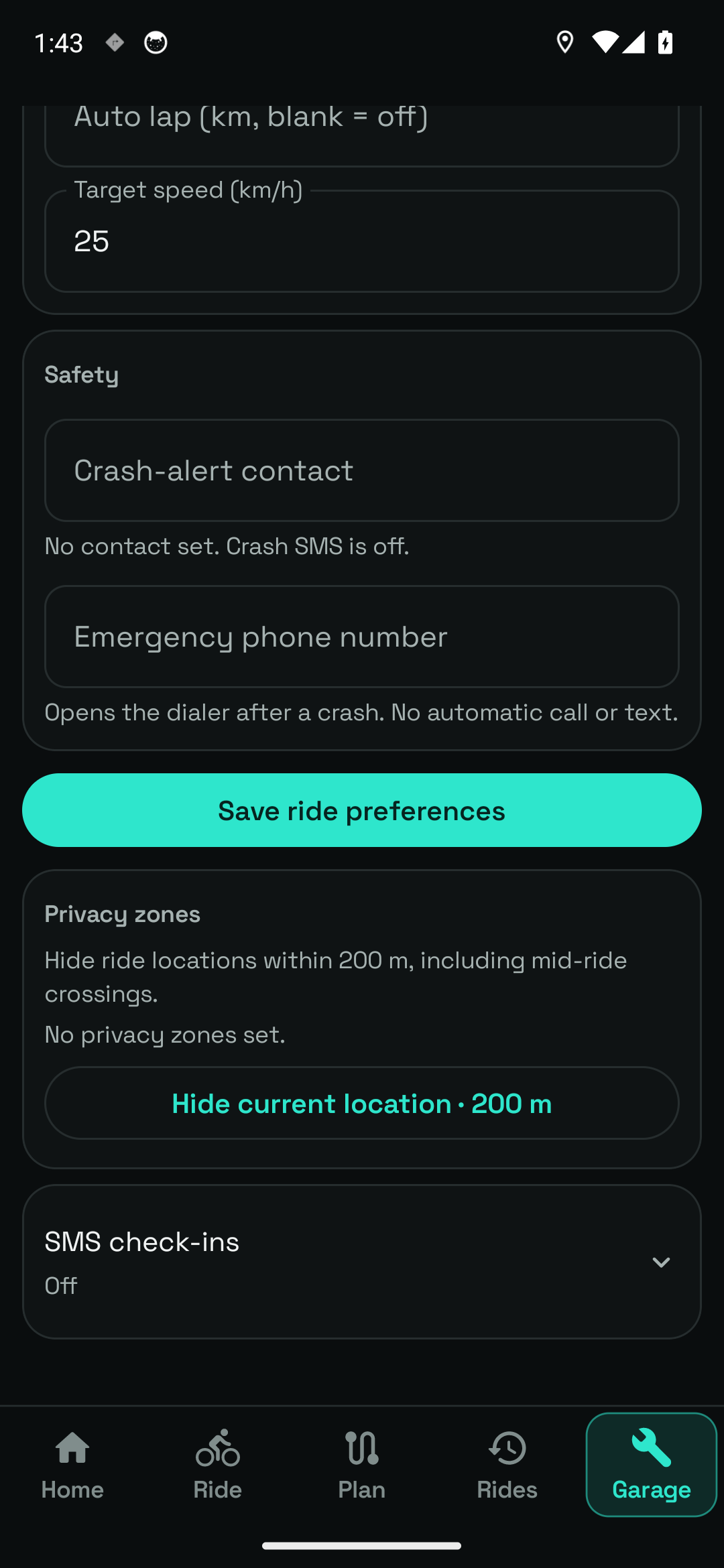
Settings → Ride includes Privacy zones. With a GPS fix, Hide current location adds a 200 m zone. The app hides ride locations inside the zone, including crossings in the middle of a ride.
A group has its own location-sharing switch. Joining a group does not automatically start recording. Stop sharing or leave the group when you no longer want to participate.
Periodic location texts require a chosen contact, their agreement, SMS capability and permission. Check-ins stop when the ride ends. Separate crash-alert settings have their own contact and countdown.
A FIT, GPX or TCX file that you share is independent of the original ride on your phone. Changing a privacy setting or stopping live sharing cannot recall copies already held by someone else. Review the destination before sending.
The Data screen says backups include rides, routes, settings and photos, including exact locations—even hidden points—and stored API keys. Keep backups private. They are not privacy-filtered ride summaries, and offline maps are excluded.
Restoring a backup replaces this device's data. The app presents that warning in the Data workflow. Use an activity export for sharing a ride and a private backup for recovering your own data; they serve different purposes.
Your first time
Open Settings → Ride and check the zones before exporting.
Use an activity export, configured service or group location switch deliberately.
Review the file or recipient. Store backup archives privately.
Local ride storage, activity exports and privacy controls are available without Pro. Hosting a group requires Pro; joining is free.
Inside sharing controls
Real screens from the current Android app. Open an image to inspect the details, then use the arrows to explore the rest.
Location privacy controls in Ride settings, including the 200 m zone option.
Settings → Ride → Privacy zones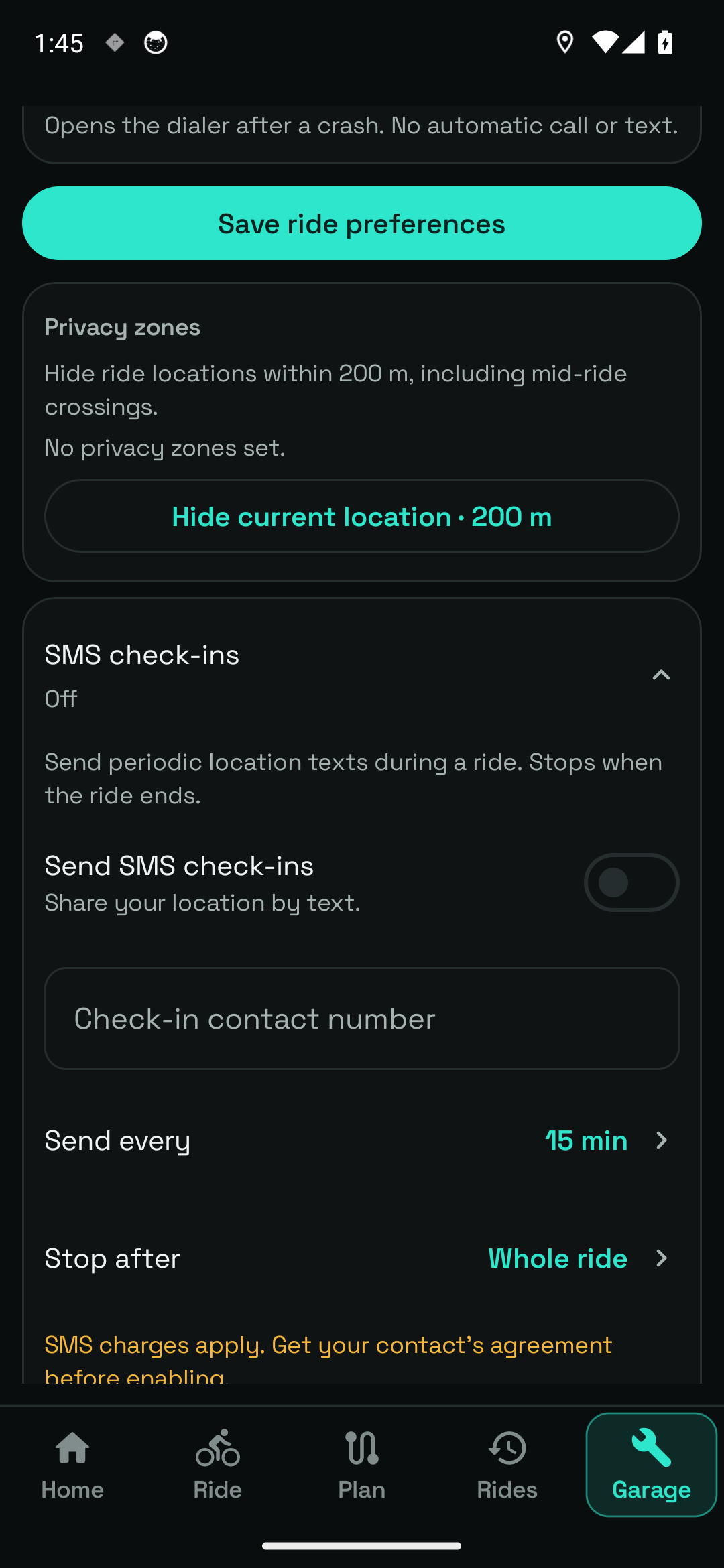
Optional location-text settings. No contact is configured and no message was sent.
Settings → Ride → check-ins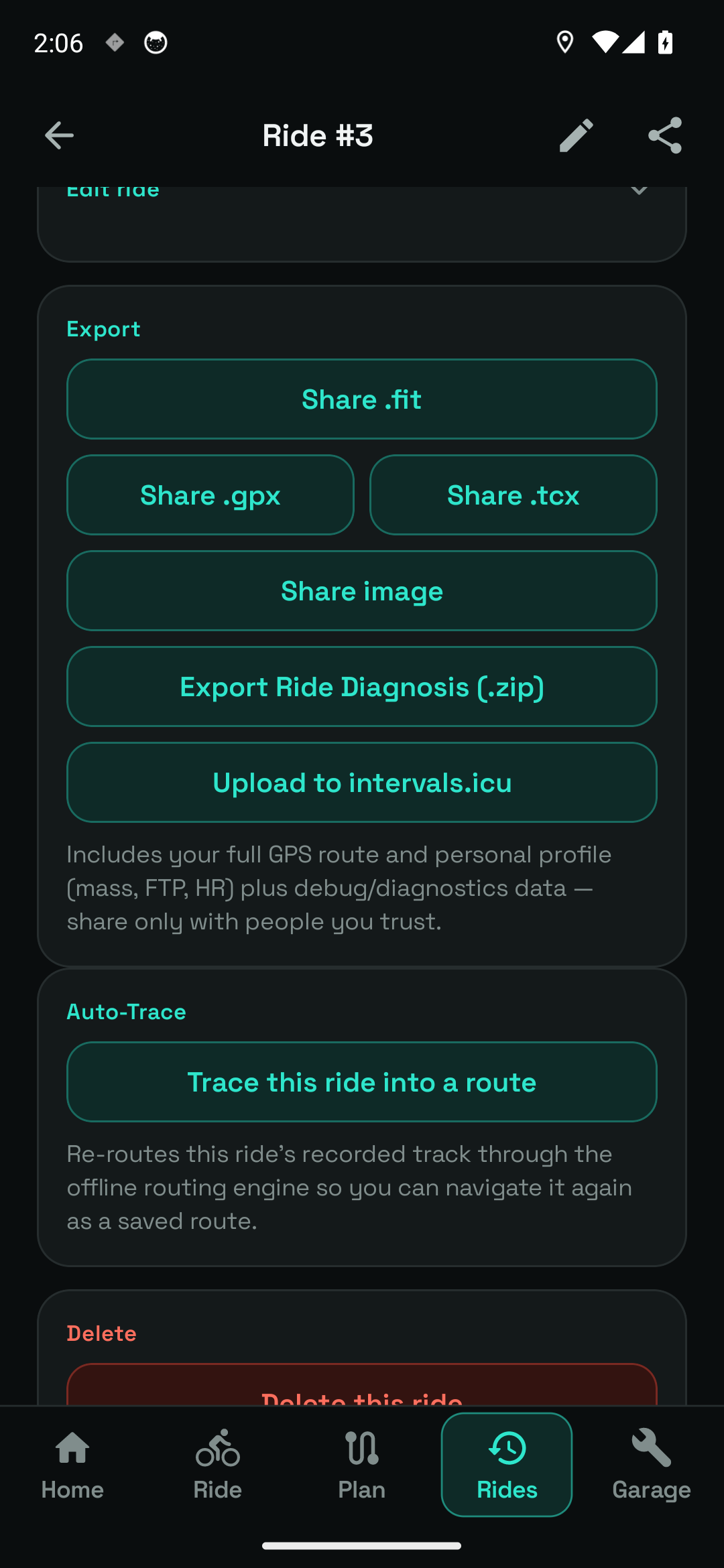
The actual export controls for a saved sample activity. No file was sent.
Rides → activity → export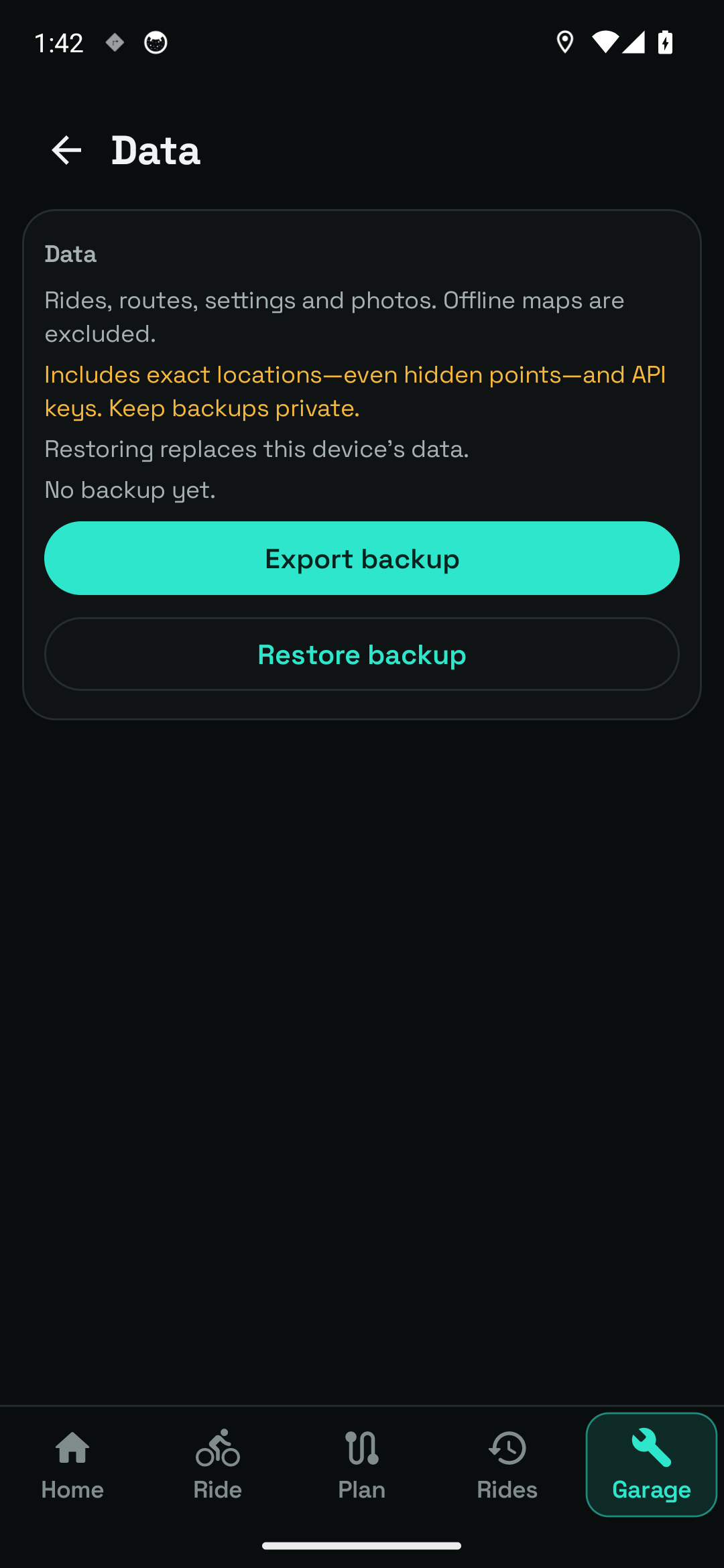
The app explains backup contents, exact-location handling and the effect of restoring data.
Settings → DataNo contact was configured and no text, activity file or live location was sent during capture. SMS features depend on reception and carrier charges and are not a guaranteed emergency service.
Questions, answered
No. Exports are separate copies. Neither changing local settings nor stopping group sharing can remove files already sent elsewhere.
A backup includes much more data, including exact locations and API keys. Use the ride's activity export controls instead.