
Keep your bikes in the Garage
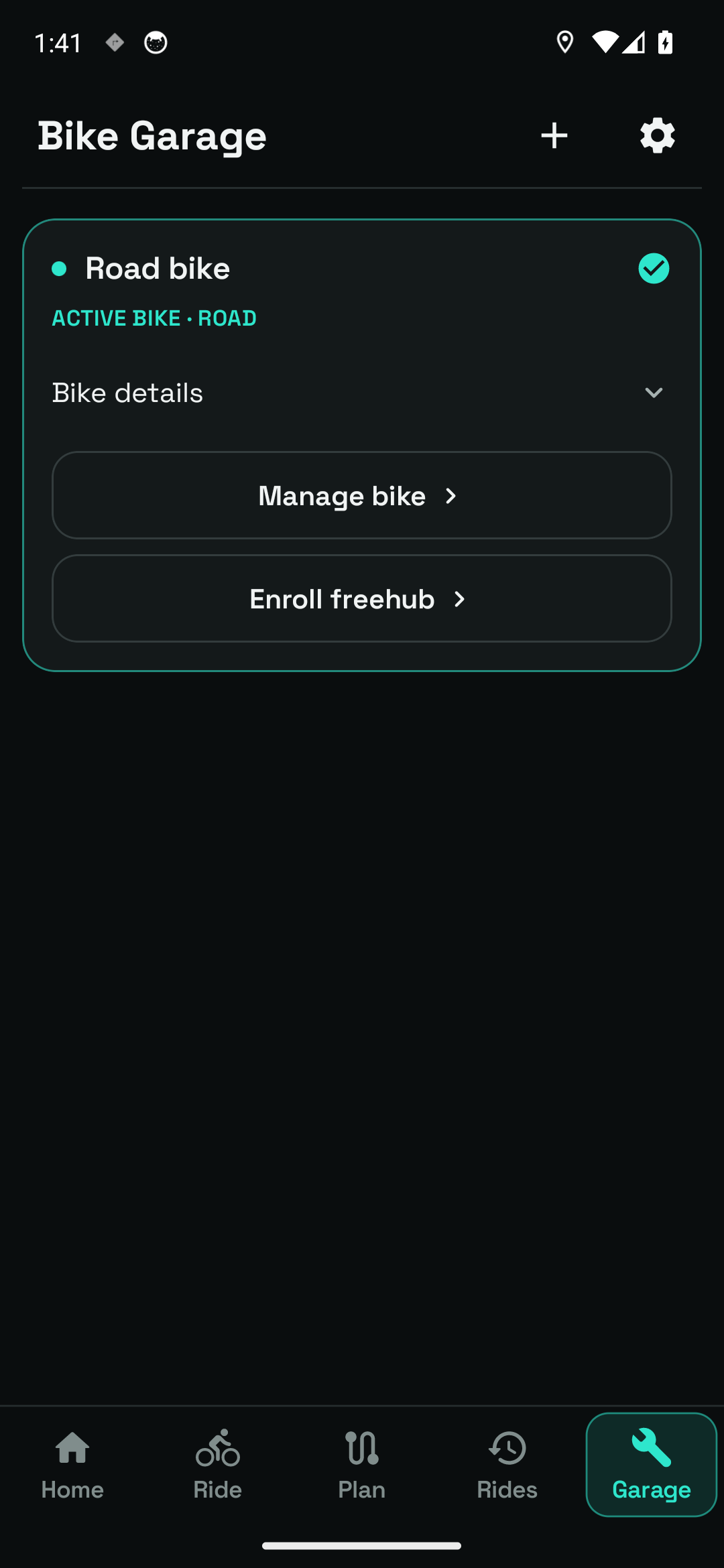
Add a named bike and choose its type. The Garage identifies the active bike and opens its details. Choose the bike you are taking out before recording so the app uses the right setup.
Give each bike its own setup. Switch bikes without rebuilding the details.
See the app screensBike profiles, physical setup and calibration are included without Pro.
In practice
Find it in the app Garage → Manage bike · Home → Choose bike
Add a named bike and choose its type. The Garage identifies the active bike and opens its details. Choose the bike you are taking out before recording so the app uses the right setup.
Manage bike includes bike type and Upright, Hoods, Drops and Aero positions. Type provides starting power estimates. After a riding-position change, the app advises recalibrating an existing measurement.
Each bike holds its own weight, tyre type, width and pressure. Rider weight is a separate rider setting. Use realistic values for the bike as ridden; these inputs inform the app's estimates.
Select wheel size and inspect the circumference used for wheel-speed readings. The wheel picker includes standard sizes and tyre information. Check it when changing wheels or tyres.
Power calibration groups aerodynamic drag and rolling resistance. The app identifies values as estimated or calibrated. A type change offers the choice to reset calibration or retain it for a recheck, rather than silently treating every bike as identical.
Freehub acoustics uses the microphone to help detect coasting. The bike screen shows enrollment and whether audio detection is enabled. It is optional; setting up a bike does not require you to enroll its freehub.
Your weight, FTP and maximum heart rate belong to Settings → Rider. The bike's physical setup lives in Manage bike. This keeps personal information separate from the details that change when you choose another bike.
Your first time
Open Garage, tap Add bike, enter a name and select the type.
Open Manage bike and review position, weight, tyres and wheel size.
Make the intended bike active and recheck calibration after setup changes.
Bike profiles, physical setup and calibration are included without Pro.
Inside bike profiles
Real screens from the current Android app. Open an image to inspect the details, then use the arrows to explore the rest.
A sample Road bike profile in the current Garage, with its active-bike state and details.
Garage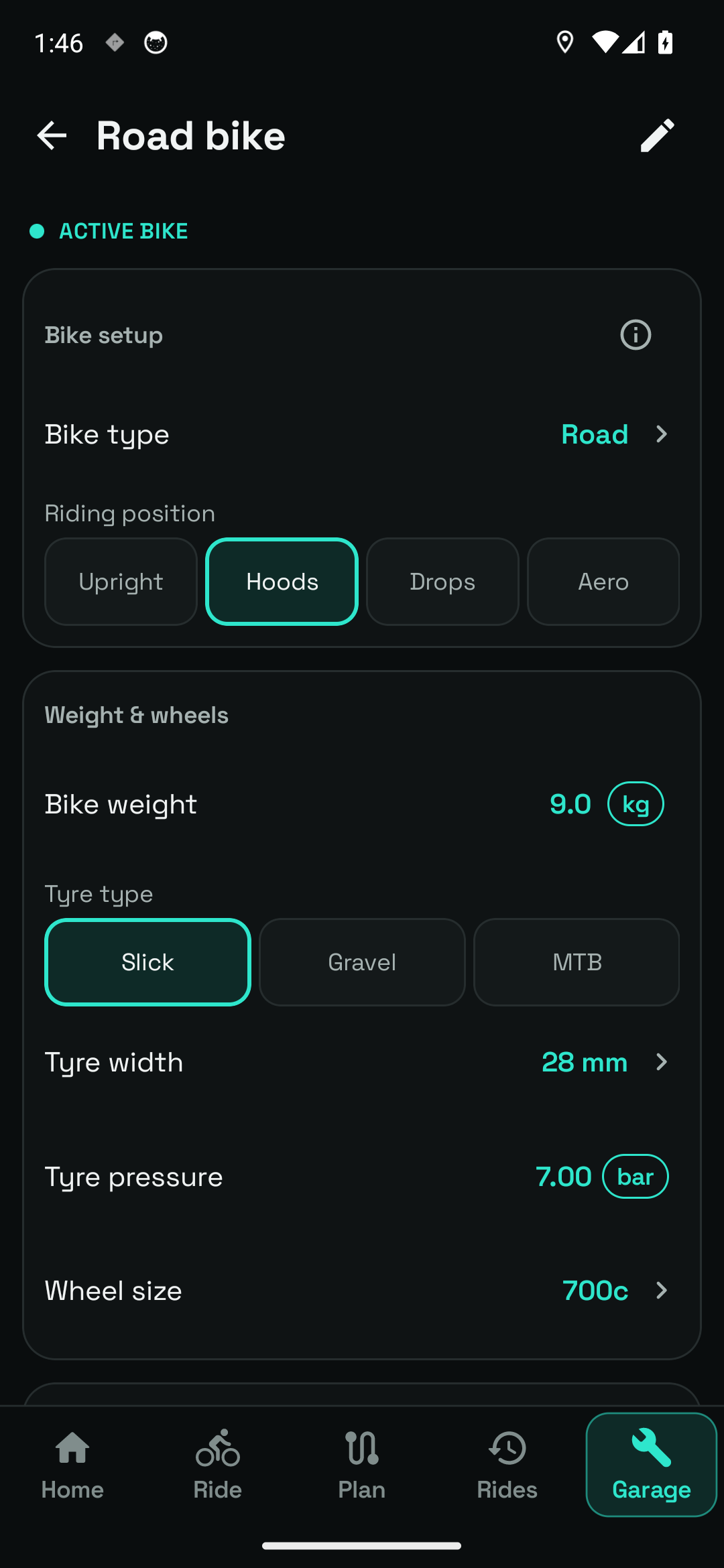
Bike type, riding position, weight and tyre settings for the sample Road bike.
Garage → Manage bike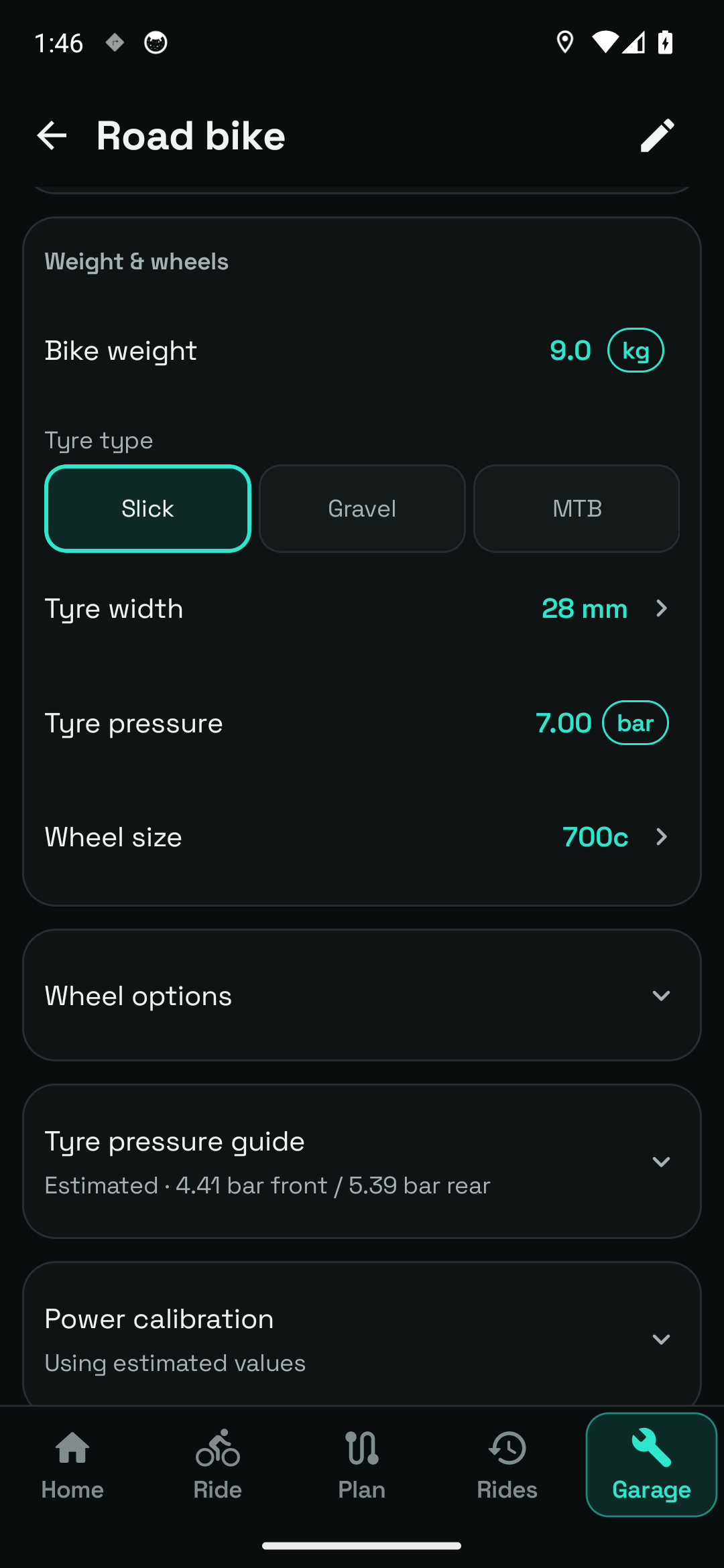
Per-bike wheel and tyre settings, with expandable options and guidance.
Manage bike → Weight & wheels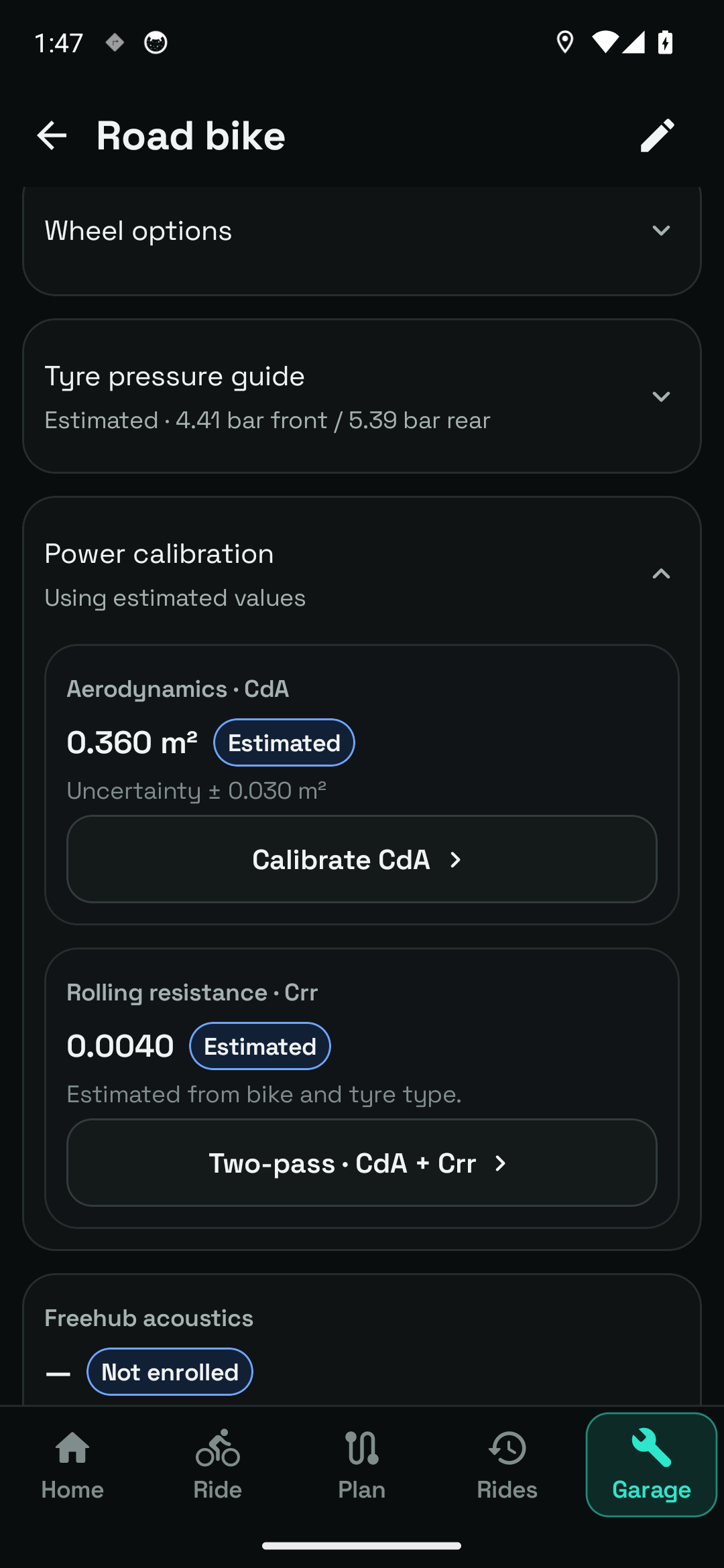
The bike's aerodynamic and rolling-resistance parameters and calibration controls.
Manage bike → Power calibrationThe screenshots use a sample Road bike profile. Its numbers are example settings, not recommendations for your equipment.
Questions, answered
You can reset calibration to the new type's defaults or keep existing values marked for rechecking. Review that choice before applying it.
Only the optional freehub audio feature uses the microphone. Ordinary bike-profile setup does not require acoustic enrollment.