
Find the ride you want
Search or filter your activity library, review an import, and give a ride a useful name. Select multiple rides to export or delete, with an Undo review when available.
Find your saved rides, review recorded data, and explore analysis of your own activities.
Local ride history and exports remain available in the free core. Advanced analysis and new report generation follow account entitlements and allowances.
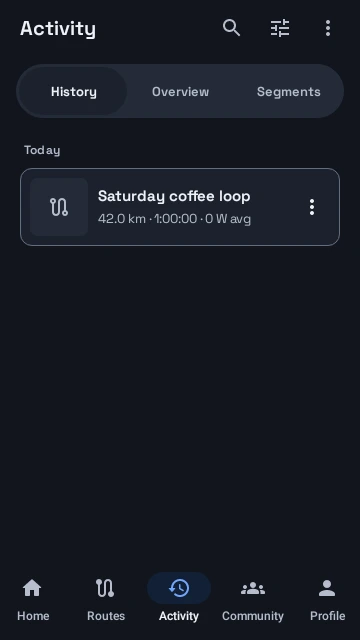
Find it in the appActivity → History, Overview, or Segments · Training → saved analysis
Search or filter your activity library, review an import, and give a ride a useful name. Select multiple rides to export or delete, with an Undo review when available.
Inspect metric charts with persistent selections and shared timeline readouts. Revisit your route through replay when the ride contains the required location data.
Explore personal segments, earlier-ride comparisons, and your own heatmap where your plan and data support them. These tools are about your recorded activity.
Save eligible training, power, or heatmap analysis to your own account-scoped gallery. Available generation allowances are shown in the app; saved own reports can be opened offline.
Search and filter Activity, review an imported file, rename a ride, or select multiple rides for export or deletion. The current library includes an Undo review for eligible deletions. Open a ride to inspect available charts together along its timeline.
Personal segments, ghosts, and heatmaps use your own activity. Access and usable results depend on the selected tool, current plan, privacy settings, and recorded data.
Eligible own-analysis reports are account-scoped and saved with their proof. Existing own reports can be opened offline; generating a fresh result follows the current online allowance.
Explore actual Android app screens with example data. Open a screen for a full-size view.
Activity brings ride history, overview, and personal segments into one place. Native R6 UI with sample data.
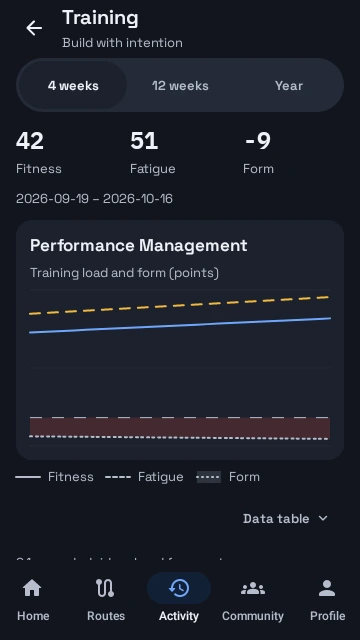
Explore fitness, fatigue, and form alongside your training history. The displayed chart values are controlled examples.
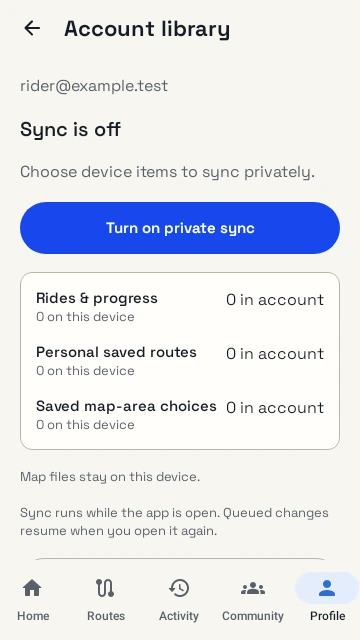
Private account sync is an explicit choice for rides, personal routes, and saved map-area definitions. Downloaded map files stay on the device.
Native R6 Activity, Training, and library screens use example ride and account data. No performance improvement or accuracy claim is implied by the example charts.
Open Activity and select the ride or analysis you want to explore.
Review its charts, replay, or available segment and training tools.
Use an activity export or save eligible own-analysis output, following the app’s access and allowance feedback.
Local ride history and exports remain available in the free core. Advanced analysis and new report generation follow account entitlements and allowances.
Questions, answered
No. A view needs the relevant recorded location, sensor readings, and settings. Missing data is not a measured zero.
No. Saved own-analysis reports and optional private account-library copies are separate features with their own controls.
No. Deleting a local saved analysis file does not refund its account generation allowance.
Register your interest. We’ll email testing instructions when a beta place is available.