
Find your kind of riders
Search for people and Clubs, review profiles and riding expectations, and choose the connections you want to make. Friend requests and Club membership have their own approval paths.
Find friends and Clubs, chat with members, and arrange your next ride together.
Community features require an account and a connection. Club membership limits and organiser tools follow your current plan; public contributions and location sharing remain optional.
Find it in the appCommunity → Friends and Clubs · Club → Chat or Rides
Search for people and Clubs, review profiles and riding expectations, and choose the connections you want to make. Friend requests and Club membership have their own approval paths.
Club chat keeps the plan close to the people riding it. Share a route or move from the conversation into a scheduled ride.
Review the meeting point, date, pace, distance, and available places. Respond to an invitation so the organiser knows who is coming.
Explore Club routes, announcements, challenges, and deliberately shared rankings. Owner and admin actions remain permission-controlled.
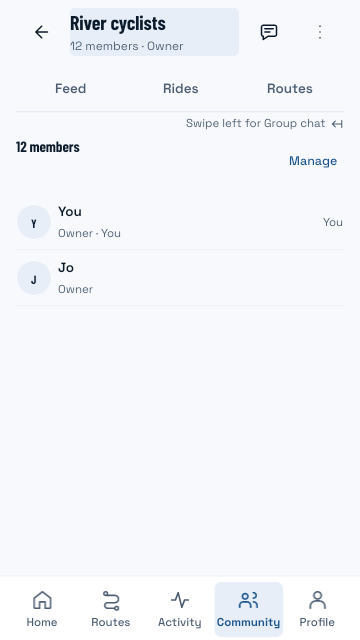
Look at its area, riding style, usual pace, distance, and join policy. A Club gives an ongoing group of riders a shared place; a live ride is a separate session.
Open Club chat to discuss the ride, share a route, or create an event. A scheduled ride records the meeting details and responses rather than turning on anyone’s location.
Club and rider rankings use deliberately published contributions. Challenges, shared routes, and organiser tools respect account and membership permissions.
Explore actual Android app screens with example data. Open a screen for a full-size view.
The updated Club view brings members, feed, rides and routes together. River cyclists and all members shown are controlled examples.
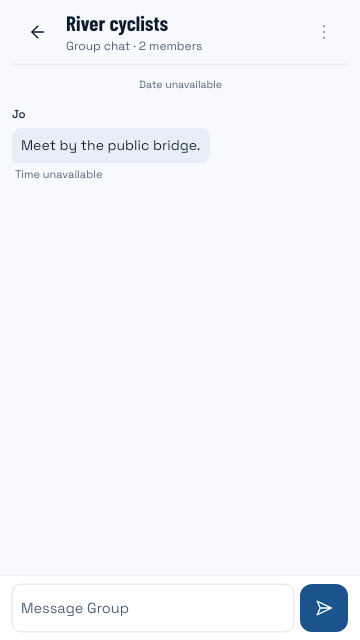
The updated group chat keeps the conversation with your Club. The message, names and membership shown are controlled examples.
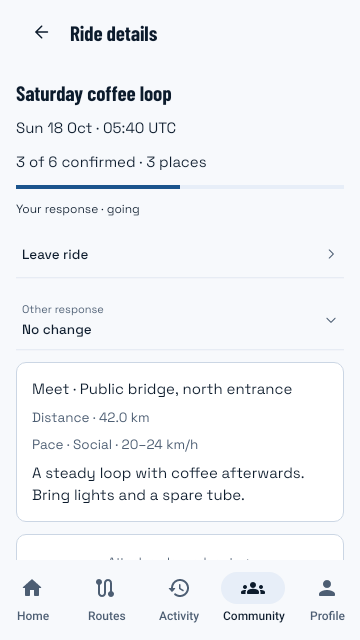
The updated ride details show the meeting point, pace, places and your response. Saturday coffee loop is an example event, not a public invitation.
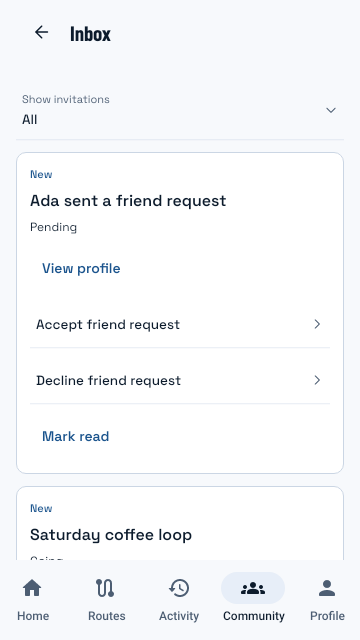
Review a friend request or ride invitation before responding. Names, requests and events in this native UI are example data.
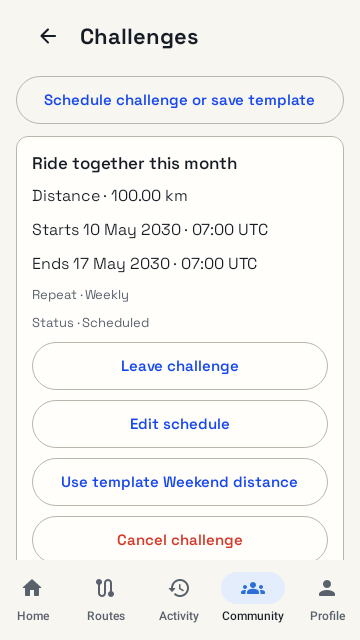
A scheduled Club challenge with example dates and distance. This capture illustrates the native UI, not a currently open challenge.
Build 41 native UI captures use an example Club, conversation, invitations and challenge. They are existing release captures, not testimonials, live participation figures or public ride invitations.
Sign in, complete the profile you want to share, and find a friend or Club.
Review the Club, request to join or accept an invitation, and meet the members.
Use chat and Rides to discuss a route, review a scheduled ride, and send your response.
Community features require an account and a connection. Club membership limits and organiser tools follow your current plan; public contributions and location sharing remain optional.
Questions, answered
No. Club membership, event responses, live sharing, and recording are independent choices.
Actions depend on membership, the event host, and owner/admin permissions. Some organiser tools also require the relevant plan access.
The screenshots show real native UI with controlled example fixtures. The pictured event is not a public invitation and the sample totals are not adoption statistics.
Register your interest. We’ll email testing instructions when a beta place is available.